Turn an Android phone into a privacy-first universal TV remote
Turn your Android phone into a universal remote that controls smart TVs and streaming devices over a local Wi-Fi connection. RemoteBeam: TV Remote Control, from NEEDMEASAP, offers automatic device discovery, a touchpad cursor, and an integrated keyboard for text entry. The app targets smart TV owners who want quick setup without accounts, and it emphasizes local-only communication and a compact installer for low storage use.
How does RemoteBeam discover and connect to TVs?
RemoteBeam scans the local network and lists detected devices within seconds using automatic device discovery. The app locates major brands such as Samsung, LG, Roku, Fire TV, Android TV, Google TV, Vizio, and Hisense, then opens a direct control session over Wi-Fi. This approach avoids infrared hardware requirements and relies on both the phone and the television sharing the same Wi-Fi network for control to work.
Does it preserve privacy and avoid external servers?
RemoteBeam keeps all traffic on the home network, it does not require accounts, and it does not store data on remote servers. The developer built the app with a local-only communication model, so commands and keyboard input stay within the user's network rather than routing through third-party infrastructure. That design reduces external data exposure for text entry and navigation actions.
How complete is the remote functionality for everyday use?
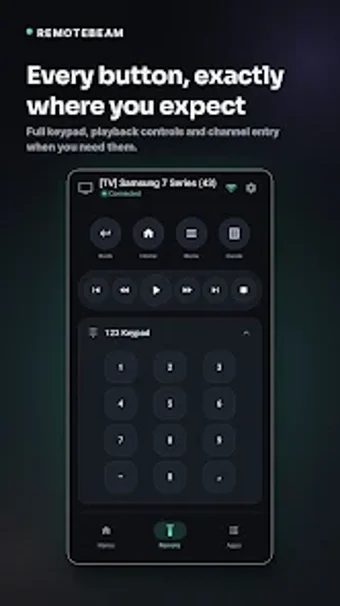
The app supplies standard remote controls: power, volume, channel switching, navigation keys, plus a touchpad mode for pointer movement and an integrated keyboard for faster searches. The UI is designed for one-handed operation, and the package size is roughly 17 megabytes, which keeps installation footprint small on Android devices while offering full navigation and text input tools.
Is the app easy to operate and suitable for less technical users?
RemoteBeam requires no signup and opens with a zero-setup flow, lowering the barrier for non-technical users. The interface groups navigation, keyboard, and touchpad in a clean layout, so users can switch modes without configuration. Automatic scanning reduces manual IP or pairing steps, though users must ensure their phone connects to the same network as the television for the scan to find devices.
A practical, privacy-focused remote for household TV control with a network limitation
RemoteBeam serves smart TV owners who want a compact, account-free remote that keeps traffic local and adds a touchpad and keyboard for easier navigation. The main caveat is that it depends on both phone and TV being on the same local network, which restricts control to the home environment rather than remote access from outside the network.